Honeycomb Analyzer and Research Tools Guide
Learn how to use AR mode, the analyzer, map markers, the wildlife camera, and research machinery to document Sota 7.
FAQ
How do I activate AR mode?
What should I scan first?
What does the analyzer do?
The analyzer collects biological or environmental data from eligible targets and expands the Sota 7 compendium. It can identify plants, animals, nests, minerals, soil, and hazards, while some scans unlock crafting blueprints. It is the safest first response when an unfamiliar object appears in AR mode.
The Operation Honeycomb objectives explain how research fits the mission. For nearby targets, follow the starting area map and record each landmark.
How should I combine AR mode with the map?
Activate AR mode, aim at a highlighted target, and hold the scan input when analysis is available. After the item is known, the map can display its marker or category. Use a pointer for the next required material, then remove it after the route is complete.
AR mode is informative but visually busy. Switch it off while climbing, crossing hazards, or following a creature. A scan marker is a clue, not a guarantee that the object can be harvested immediately.
Which research tools support wildlife?
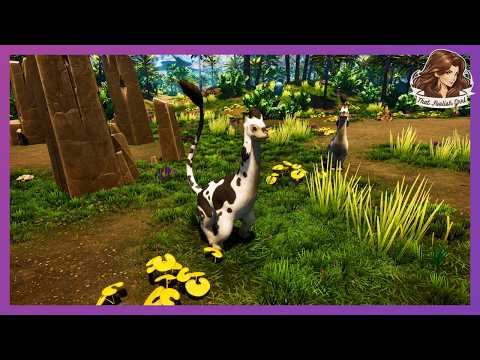
The analyzer can scan an animal or nest, while a wildlife camera records preferred activities and supports trust-building. The footage shows animals reacting to copied movements, accepting petting after trust increases, and sometimes following after receiving a favorite treat.
Do not treat the wildlife camera as a combat tool. The animal trust guide separates friendly interactions from territorial behavior.
How do scans unlock blueprints?
Continue scanning unfamiliar flora, fauna, geology, and objects even when the current quest does not require it. Several videos show a new blueprint appearing after a scan or pickup. Record the target, scan state, and newly revealed blueprint as separate evidence until the unlock table is tested.
| Research action | Result shown in footage |
|---|---|
| Scan an unfamiliar plant | Compendium entry or blueprint clue |
| Scan an animal or nest | Species and behavior information |
| Scan a mineral deposit | Map marker and resource identification |
| Scan a hazard | Warning text and route planning |
| Use research machinery | Eon database upload through IVS |
Related videos



Related Articles
guides
Honeycomb Hybrid Research and Immunity Guide
Understand Honeycomb immunity, EON-sealed structures, the IM Pump, and the research loop without inventing unverified launch-build recipes or timers.
quests
Honeycomb Black Box Data Recovery - EON Mission Lore
Recover Honeycomb's black-box data, follow smoke signals to damaged structures, and separate EON mission evidence from unverified story theories on Sota 7.
creatures
Honeycomb Animal Trust and Companion Guide
Learn how to approach, scan, feed, and research Honeycomb wildlife while separating confirmed animal-snack behavior from open launch-build questions.
Was this helpful?
Thanks for the feedback!